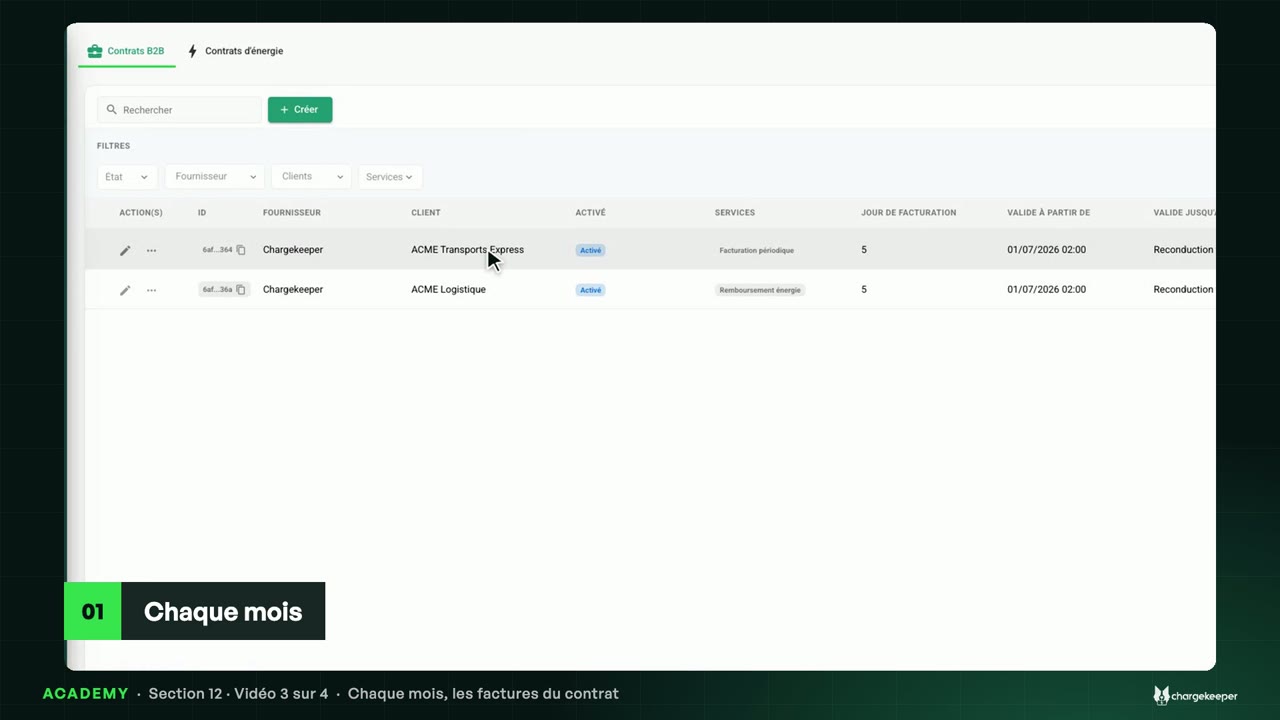
A fleet or employer pays for its drivers: the parties, the settings, the services and the contract summary.
Option to activate on your Chargekeeper space.
Transcript Click a paragraph to play the video from there.
Introduction 0:06 Hello! When a company pays for its drivers’ charging, we use a B2B contract. Let’s see how it is built, step by step. Why a contract 0:16 A fleet or an employer pays for its drivers’ charging. With a contract, their sessions are no longer charged to a card: they are grouped on an invoice addressed to the company. 0:29 The “Contracts” menu, “B2B contracts” tab: each contract links a supplier and a customer, with its services and its billing day. We open the one for ACME Transports Express. The contract in five steps 0:42 Step 1, the “Stakeholders”: the supplier, the operator who invoices, here Chargekeeper, and the customer, the company that pays. 0:52 Step 2, the “Settings”. First the validity: a start date, an end date if needed, and tacit renewal. A deactivated contract suspends its billing. 1:05 Then “Billing and taxation”: the billing day, between the 1st and the 28th of the month, the payment term, VAT reverse charge, and the payment conditions, printed on the invoice. 1:19 The “Automation rules”: invoice generation and the e-mail address that receives them. Then two choices: finalise automatically, otherwise the invoice waits as a draft, and send it automatically to the customer. The services 1:33 Step 3, the “Periodic billing of all charges” service: the charging of the customer company’s badges and drivers, grouped every month, every quarter or every year. 1:46 “Add a service” also offers energy reimbursement, a commission on sessions, eMSP billing, the subject of the last video of this section, and home charging. 1:59 Step 4, operations: a fixed price per charging station, per area or per badge. And step 5 holds your other services, described freely. The summary 2:11 Below the steps, the “Summary” says what the contract will do: an invoice every month, on the 5th, for the previous month, a draft until it is finalised, with its recipients and its due date. 2:25 “Save” records the contract. On the next billing day, the invoice is created on its own. Key takeaways 2:33 Remember: a contract links a supplier and a customer company; its settings set the billing day and the automation; and session billing groups its drivers’ charging on a single invoice. 2:49 Next video: every month, the contract’s invoices.